Close the lid.
Keep the agents running.
Melatonin keeps your MacBook awake with the lid closed — on battery, no external display — while Claude Code, Codex and friends finish their work.
Melatonin keeps your MacBook awake with the lid closed — on battery, no external display — while Claude Code, Codex and friends finish their work.
Why another keep-awake app? Because the others stop working the moment you close the lid.
caffeinate, KeepingYouAwake and friends ask macOS nicely not to sleep. macOS ignores that request when the lid closes. The only switch that really holds is pmset disablesleep, and it needs root.
Melatonin wraps it in a tiny, auditable helper with safety rails, and puts the switch where you'll actually see it: in your notch.
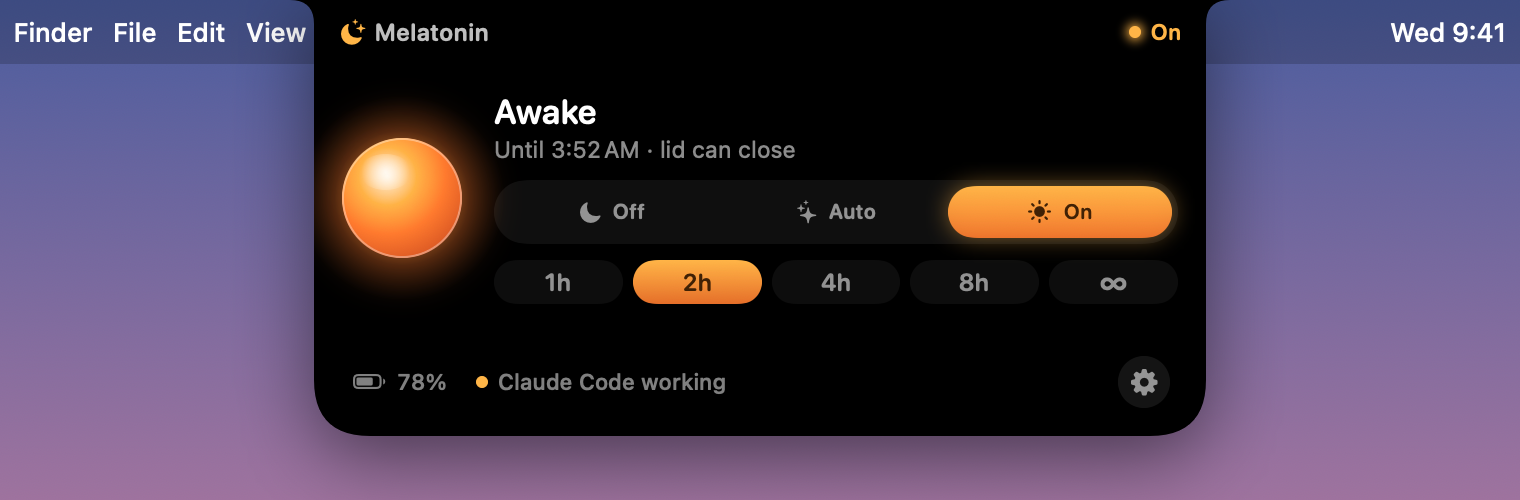
A warm lamp glows beside the camera while your Mac is staying up, with the time left. Hover to expand. No notch? It hangs from the menu bar instead.
Start the task, close the lid, walk away.
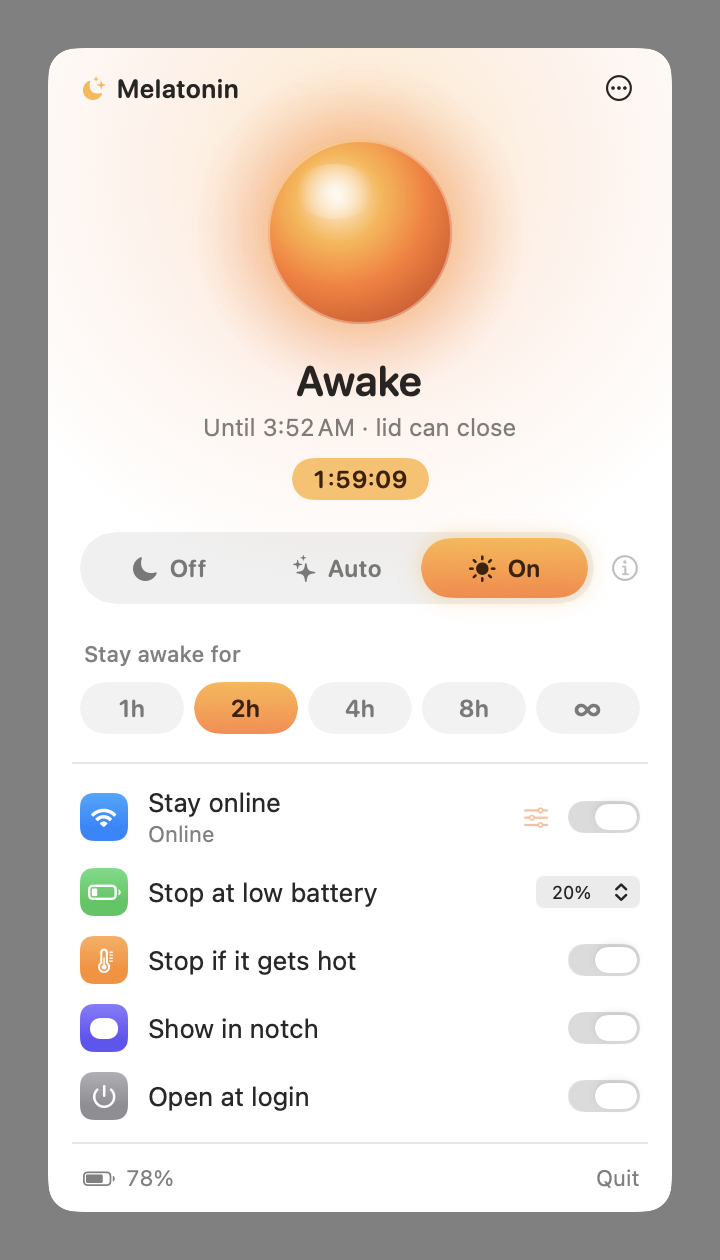
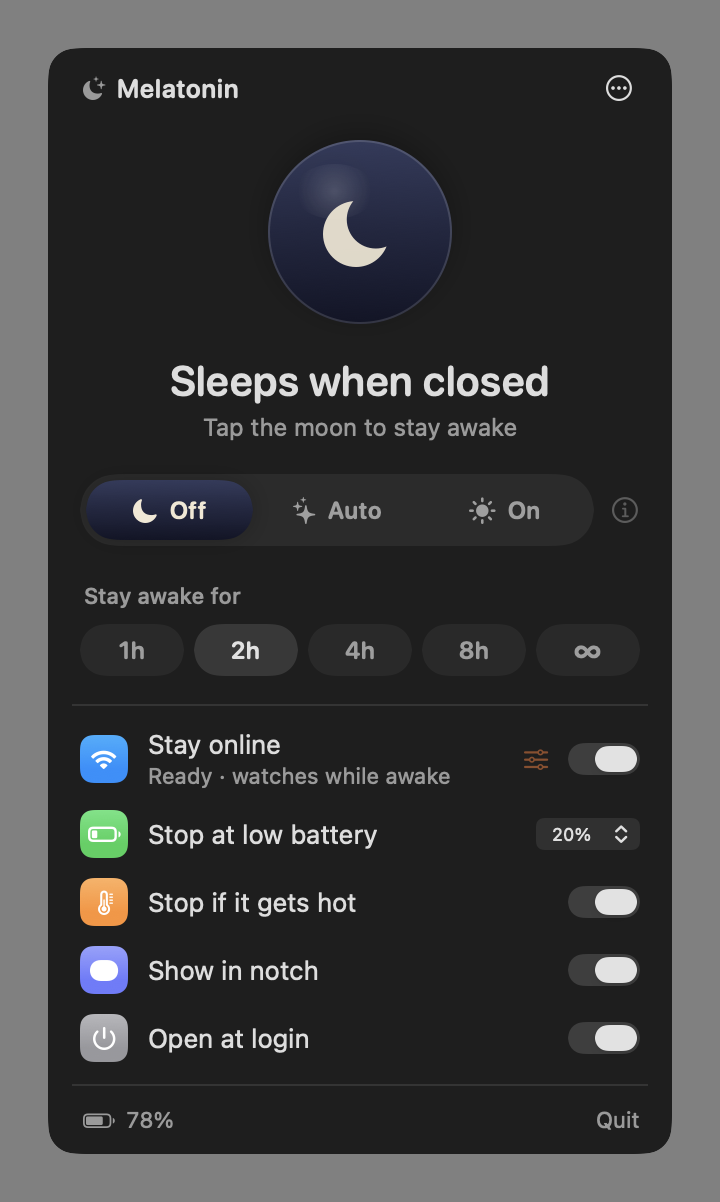
One switch: Off lets your Mac sleep, Auto follows your agents, On keeps it awake for 1, 2, 4 or 8 hours or until you turn it off.
Stays awake only while Claude Code, Codex, Hermes, OpenCode, T3 Code, Gemini CLI and others are actually working, judged by CPU activity and, for Claude Code and Codex, their session logs, so long model replies and quiet commands still count.
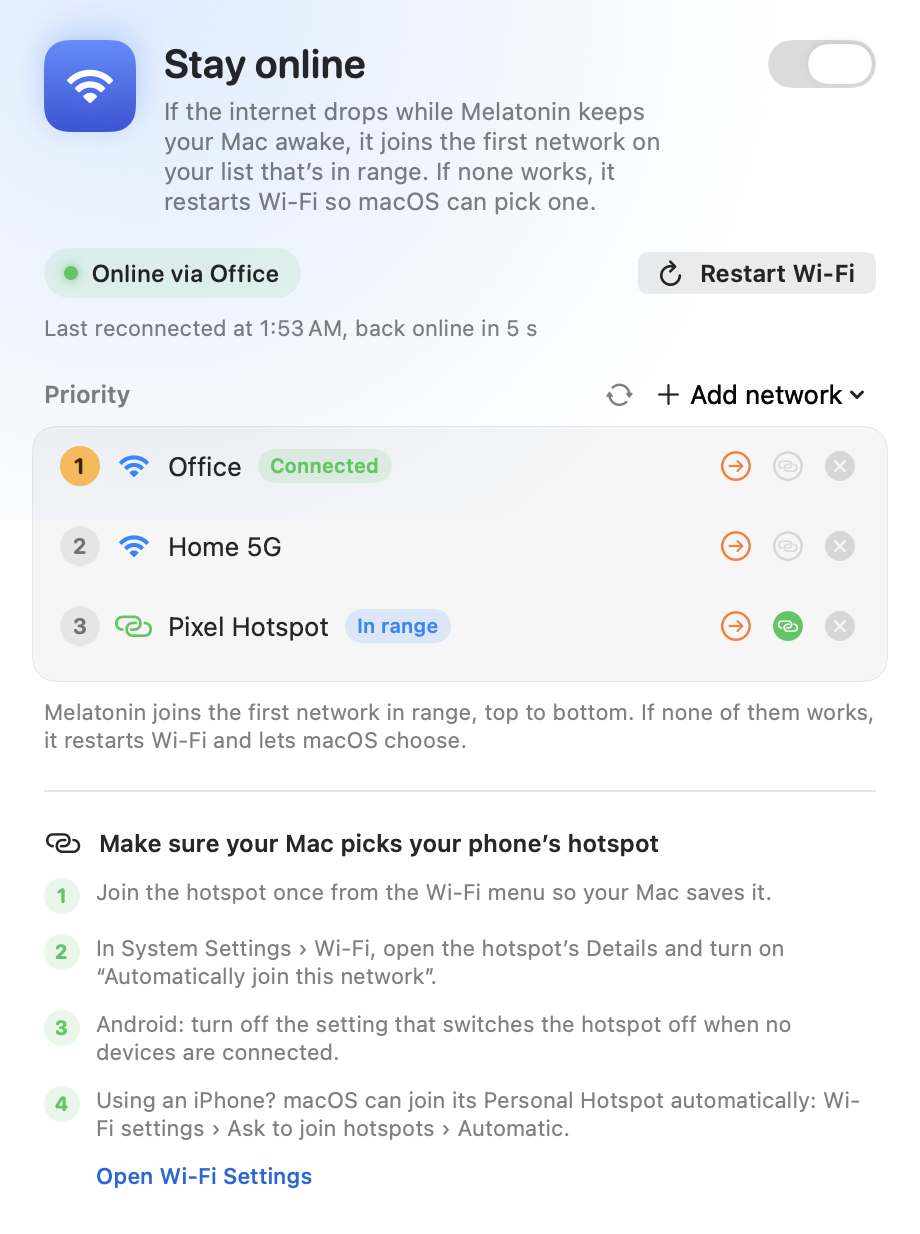
Walked out of Wi-Fi range with the lid closed? Melatonin joins your saved networks in the order you choose, like your phone's hotspot, and restarts Wi-Fi if none answers.
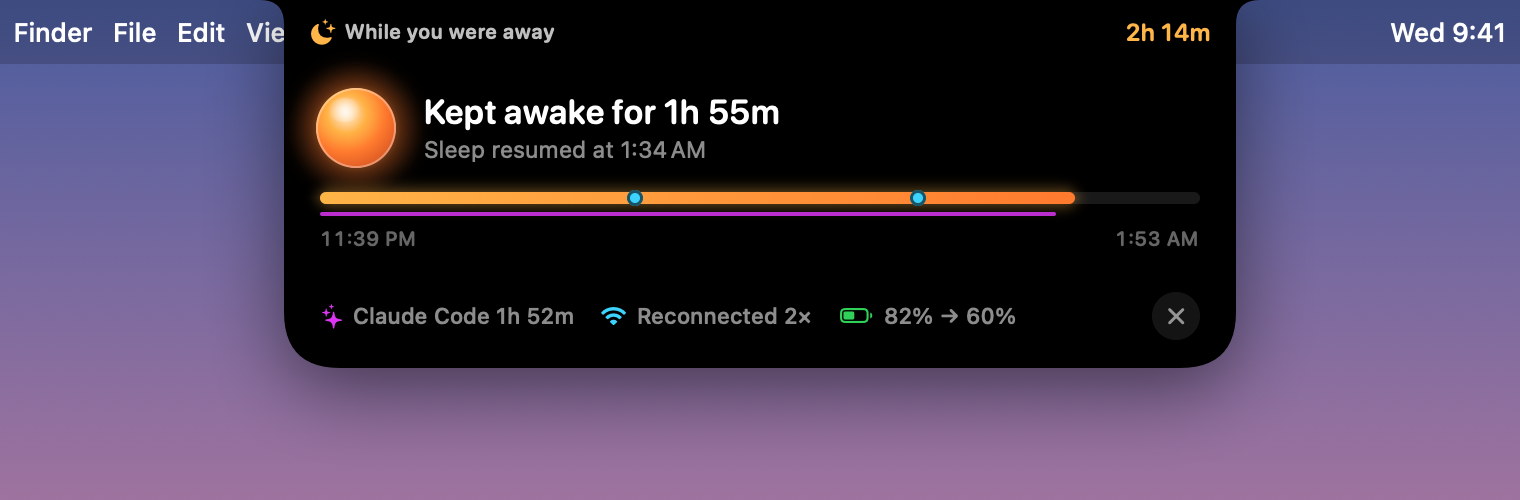
Open the lid to a summary in the notch: how long it stayed awake, which agents worked, Wi-Fi drops it fixed and the battery it used.
Lets your Mac sleep again at the battery level you choose, so a forgotten run never drains it flat.
Backs off if your Mac gets hot. A running laptop in a closed bag is how batteries get cooked.
If the app quits, crashes or is force-killed, the helper restores normal sleep immediately, and after reboots too.
Available in English, 한국어, 简体中文, 日本語, Español, Français, Deutsch, Português, Русский, العربية, हिन्दी and Bahasa Indonesia.
Melatonin.dmg, or with Homebrew:
brew install --cask jugol/tap/melatoninReleases are signed with a Developer ID and notarized by Apple, so Melatonin opens like any other app. From then on it updates itself.
The first time, macOS asks for your password once to install the helper. After that, it's one tap.